
CleanBook
Contact cleaner for iPhone — no ads, 100% private.
Your iPhone address book is full of numbers you don't recognize, duplicates and badly saved contacts. CleanBook finds them in seconds and merges or deletes hundreds with one tap — all on your iPhone, with no internet, no account and nothing uploaded.
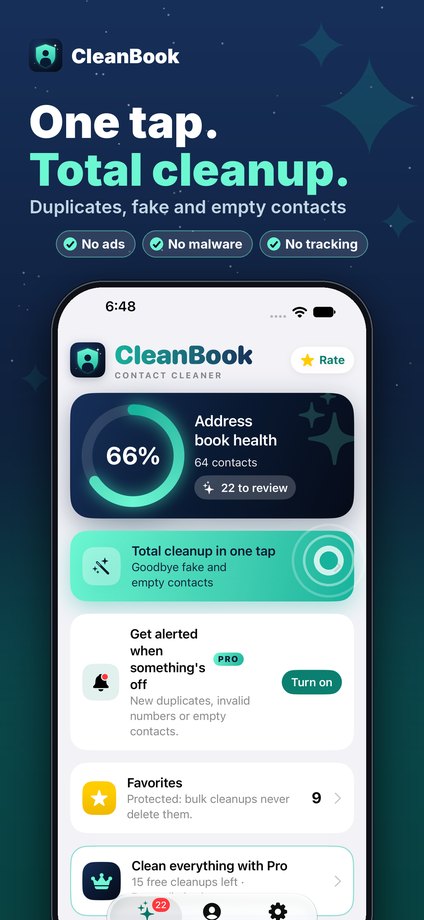
One tap. Total cleanup.
Swipe through the screens. The app is available in English and Spanish.
What CleanBook does
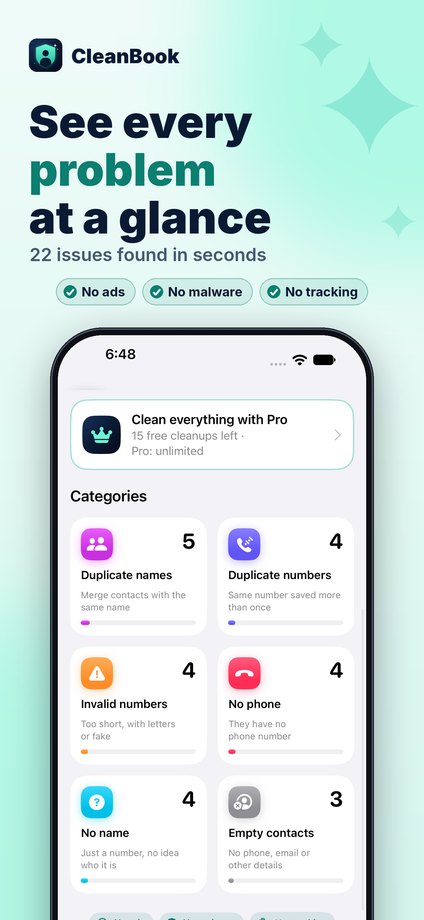
One tap analyzes your whole address book and sorts every problem into a clear category.
Total cleanup in one tap
Clean duplicates, fake numbers and empty contacts with a single button — with an automatic backup and Undo.
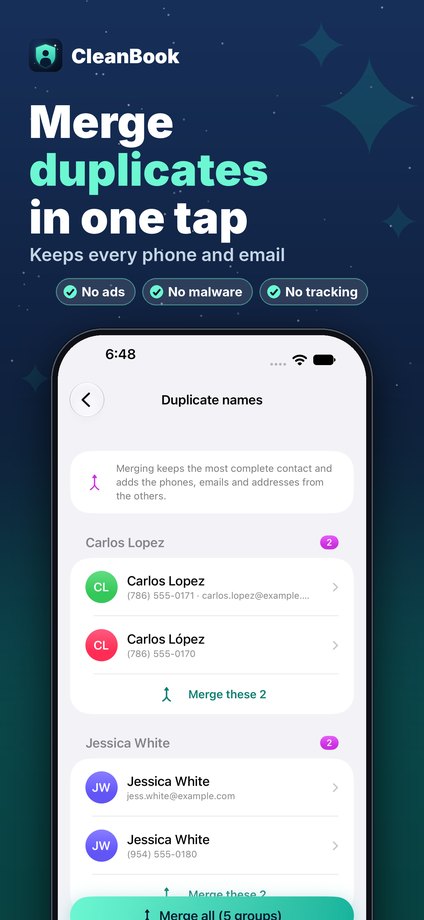
Merge duplicates
Same name or same number saved twice? Merge them into one, keeping every phone, email, address and photo.
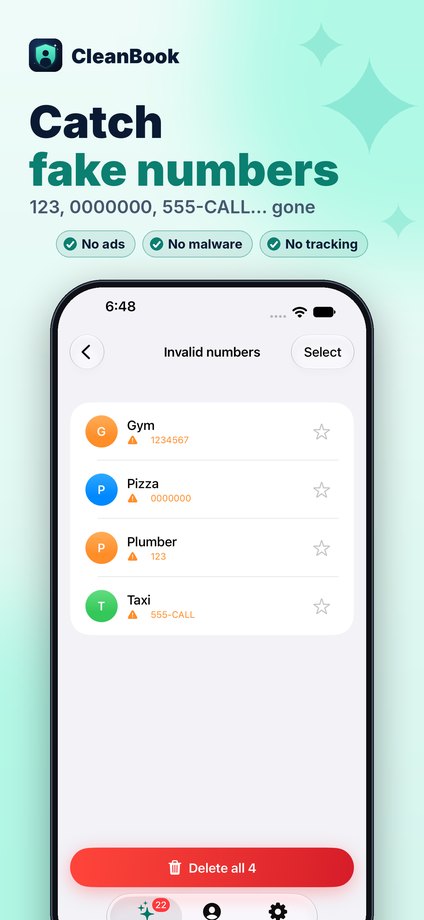
Invalid numbers
Numbers that are too short, contain letters, or are fake like 0000000 or 1234567.
Unknown & empty contacts
Just a number with no name, no phone at all, or nothing useful inside. Delete them in bulk.
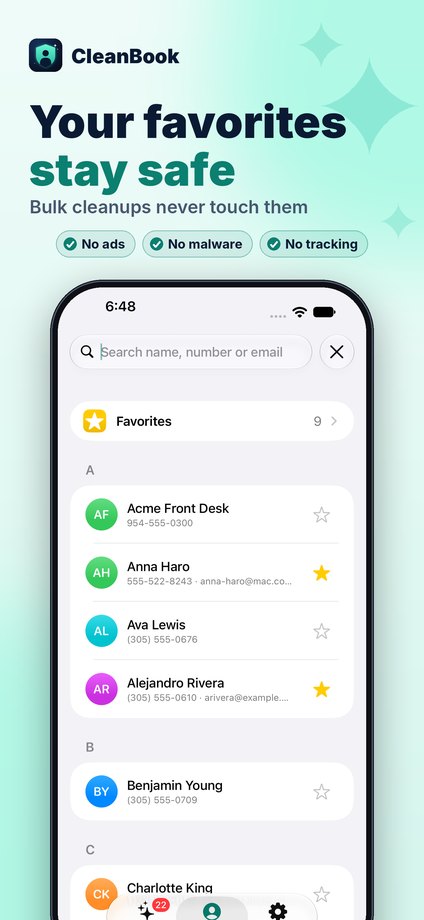
Protected favorites
Tap the star next to any contact. Bulk cleanups never delete your favorites.
Fix contacts in a swipe
Swipe a contact to add missing info, mark it as favorite or delete it. Search by name, number or email.
Automatic alerts (Pro)
Get notified when new duplicates, wrong numbers or empty contacts appear — checked right on your iPhone.
Email summary (Pro)
Send yourself a cleanup summary with a copy of all your contacts. It's only sent if you tap Send.
From messy to clean in under a minute
See your address book health
A health score and six cleanup categories show exactly what needs attention.
Merge or delete in one tap
Merge all duplicates at once, clean a whole category, or pick contacts one by one.
Undo anytime
Every change saves an encrypted backup first. Tap Undo, or restore any backup from Settings.
Your contacts never leave your iPhone
Your contacts are some of the most personal data on your phone. CleanBook is built so they stay there.
Works fully offline
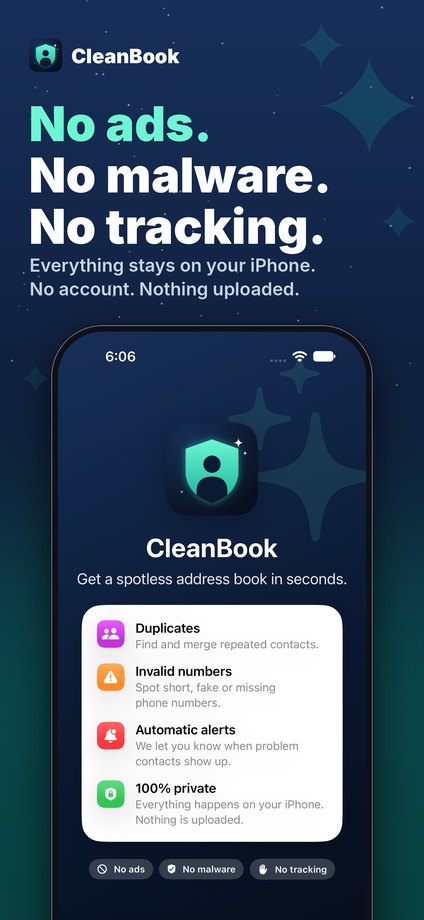
No servers, no internet connection, no third-party SDKs. Nothing is uploaded — ever.
No ads, no account, no tracking
No login and no ads — not even in the free version. The App Store label reads “Data Not Collected”.
Face ID or your own passcode
Lock the app with Face ID, Touch ID or a private CleanBook passcode.
Encrypted backups
Backups stay on your iPhone, protected by iOS encryption, never uploaded to iCloud, deleted after 30 days.
Low price. No surprises.
Start free. Upgrade only if you love it — and never see an ad either way.
Free
- Full analysis & health score
- Edit & create contacts, favorites
- Backups, restore & export (.vcf)
- Your first 15 cleanups
Pro Yearly
- Unlimited cleanup
- Automatic alerts
- Email summaries
- Everything in Free
Pro Lifetime
- Pay once, keep Pro forever
- Unlimited cleanup
- Alerts & email summaries
- Everything in Free
Prices in USD; local prices may vary. The yearly subscription renews automatically unless cancelled at least 24 hours before the end of the period; manage it in Settings › your name › Subscriptions. Privacy Policy · Terms of Use (EULA) · Support
Questions
Does CleanBook upload my contacts?
No. CleanBook has no servers and works without internet. Your contacts never leave your iPhone unless you choose to share or email them yourself.
What if I delete something by mistake?
Every delete or merge saves an encrypted backup first. Tap Undo right away, or restore any backup from Settings › Backups for 30 days.
Will it delete my favorites?
No. Contacts marked with the star are protected — bulk cleanups always skip them.
Are there ads in the free version?
No. CleanBook has no ads in any version, ever.
How do I cancel the subscription?
In iPhone Settings › your name › Subscriptions. The lifetime purchase is a one-time payment with nothing to cancel.
Clean your address book today
Download CleanBook free and clean your first 15 contacts in seconds.